Built for how designers actually work
Every feature in Trowel exists because a real garden designer needed it. No bloat. No learning curve. Just the tools that make your work better.
Read what it says
Trowel. Design, preview, plant.
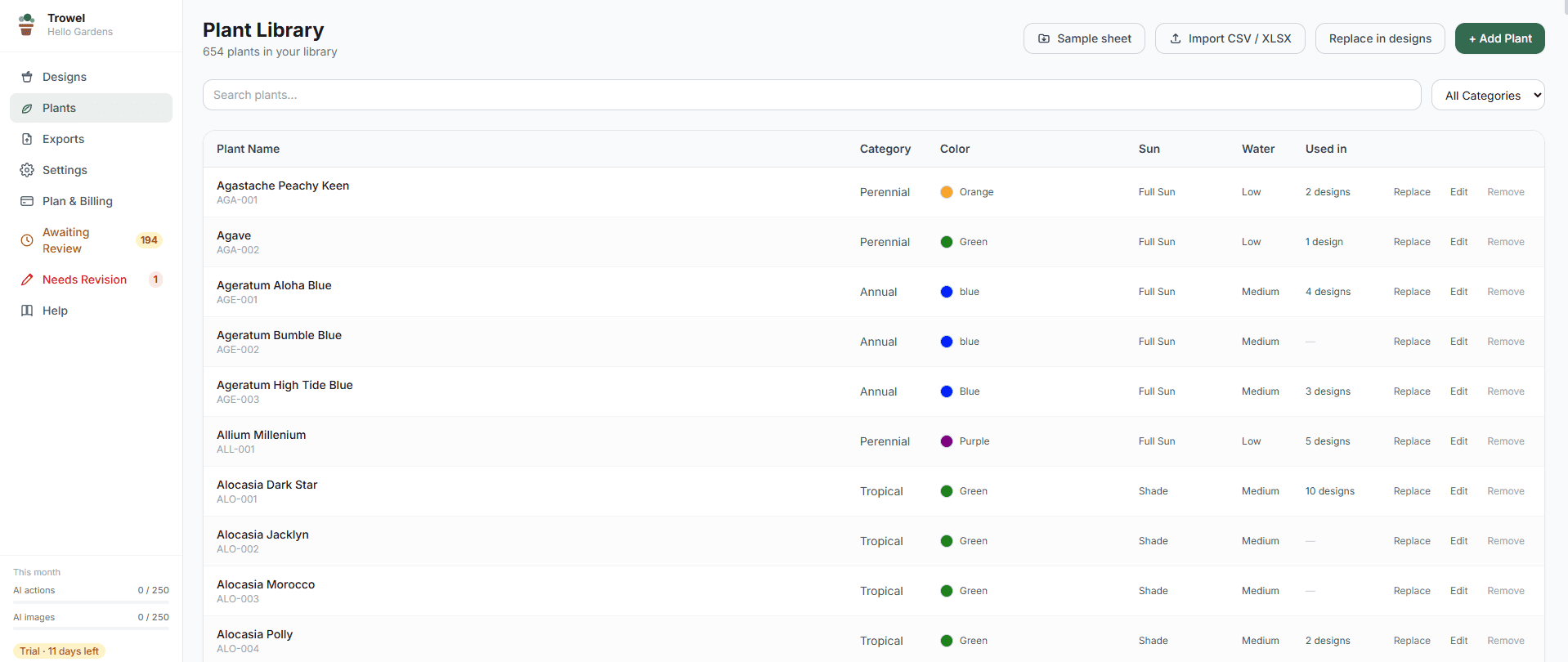
Every changeout starts the same way: a client, a spot, and a pot. Twenty-four inches, summer.
Pull plants from a library that's already loaded. Canna up back, Campfire coleus, angelonia through the middle, and the spillers that sell it: petunia, creeping jenny, sweet potato vine.
Save it, and you get a free design score. Ninety out of a hundred.
Want the client to see it? One click. It uses one image from your plan, and it tells you so before you press.
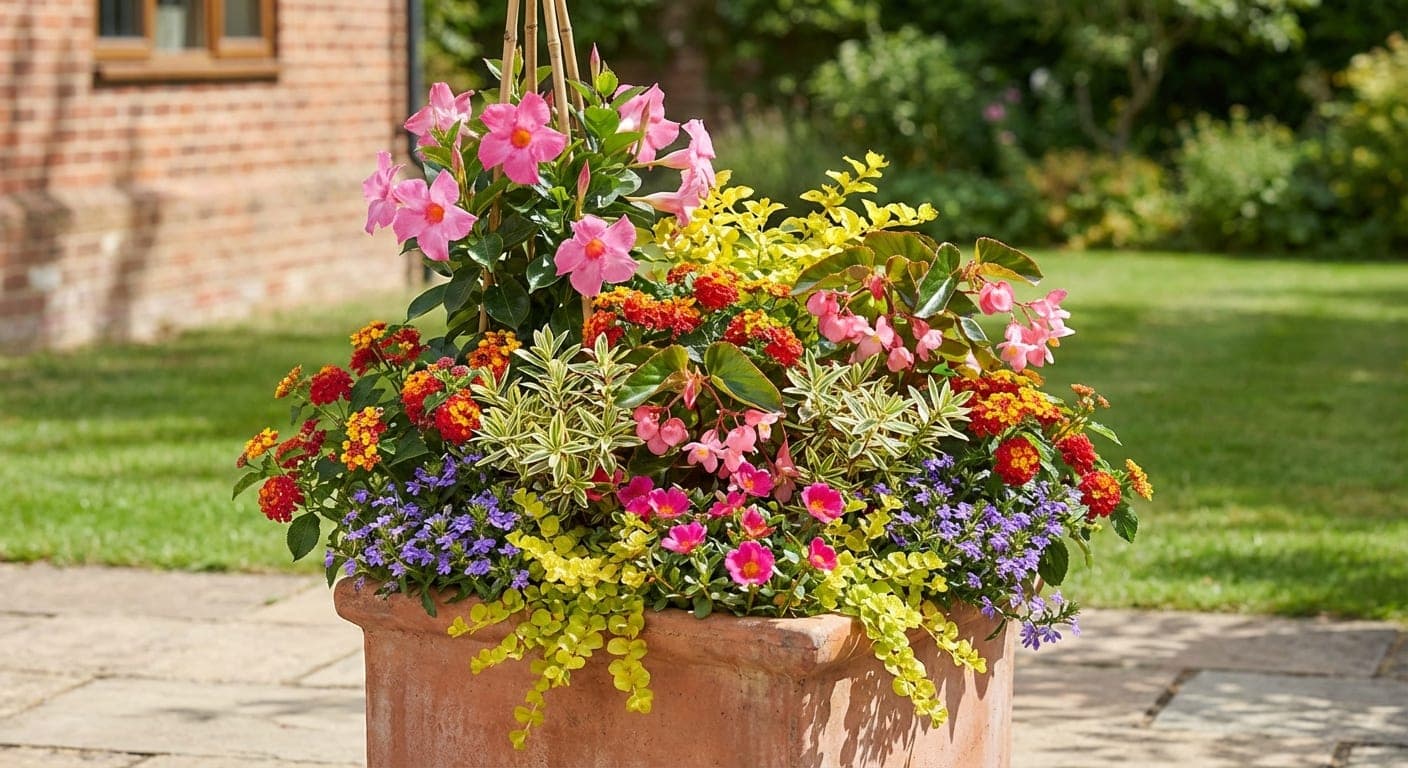
There's your concept preview. It's an illustration of the plan, not a photo. But it's the difference between "trust me" and "oh, I love that."
Then print it: a clean client sheet with the diagram, the preview and the plant list. Your crew gets their own sheet too.
Seven-day free trial at trytrowel.com.
A canvas built for the way you think
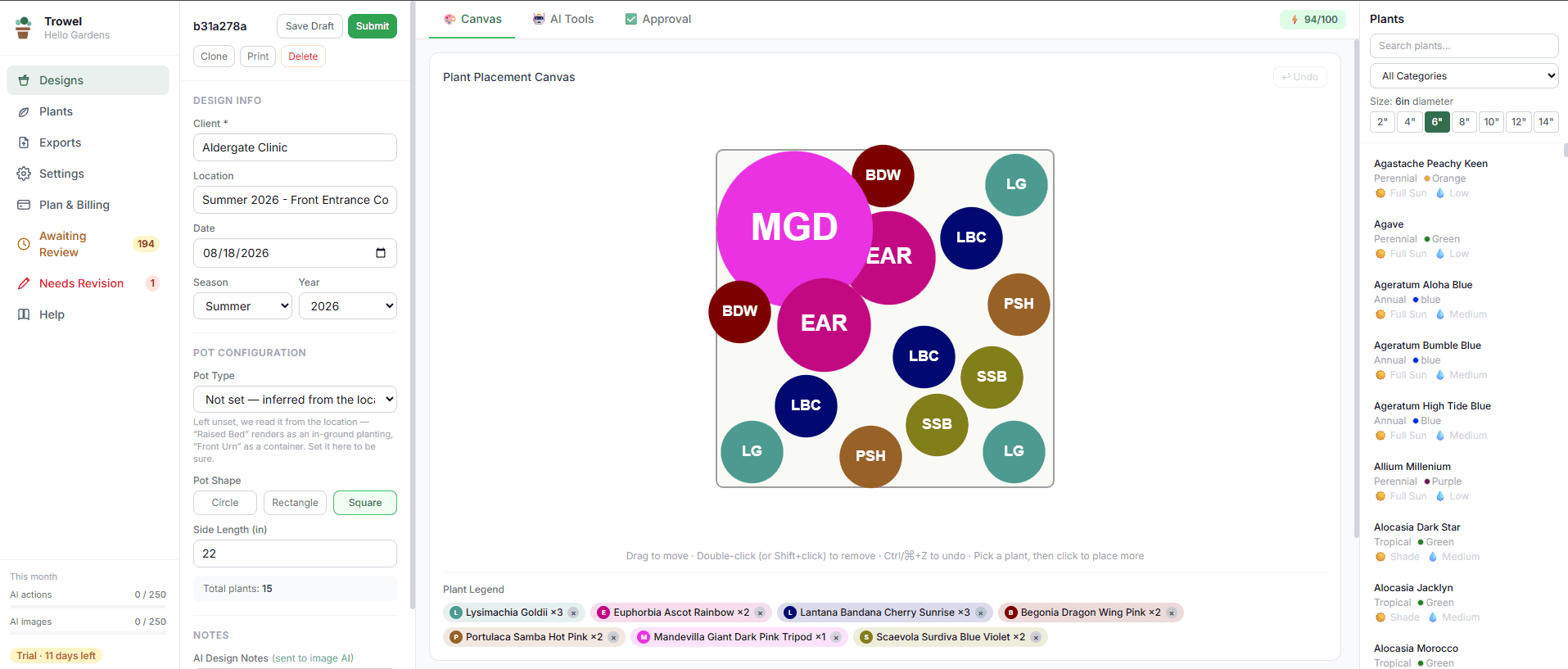
Trowel's visual canvas mirrors how designers actually plan — placing plants spatially, understanding front/middle/back rows, and seeing the arrangement take shape in real time.
- ✓Pick a plant from your library, then click the scaled canvas to place it — once for each one
- ✓Plants render as sized circles — accurately proportional to pot dimensions
- ✓Click to select · drag to move · double-click to remove
- ✓Pick each plant's pot size, 2" to 14", before placing it
- ✓Real-time plant count shown as you add or remove plants
- ✓Circle and rectangle pot shapes supported
AI concept previews before you order a single plant
Trowel sends your plant placement data to Google's image model, which returns a concept illustration of the planting — the plan made visible, not a photograph of the finished pot. Every preview is one you asked for — nothing generates on its own, and the price is on the button before you press it. Show clients the idea before you order a single plant.
- ✓Nothing generates behind your back — you press the button, every time
- ✓Plants are organized into back/middle/front rows for accurate arrangement
- ✓Understands pot shape, dimensions, season, and your design notes
- ✓Detects flower beds vs. containers and adjusts accordingly
- ✓Regenerate on demand with one click
- ✓Opens full-resolution in a new tab for client presentations
Design feedback that understands horticulture
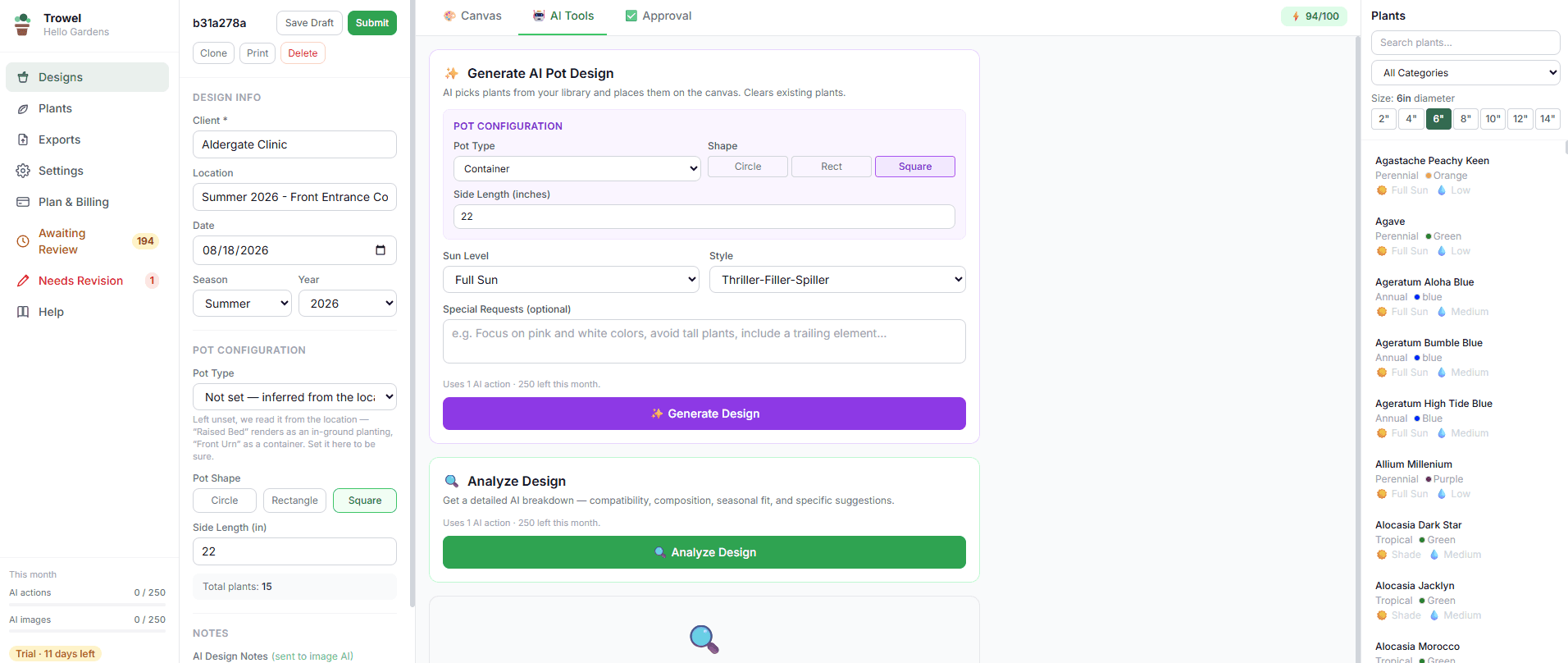
Every design gets scored 0–100 by Gemini AI. Trowel's reviewer respects your design notes — if you say "no thriller", it reviews how well the design follows that direction instead of suggesting you add one.
- ✓Quick review runs automatically every time you save
- ✓Deep analysis on demand for thorough feedback (Professional and above)
- ✓Issues flagged by severity: high / medium / low
- ✓Score color-coded: green (80+), amber (60-79), red (below 60)
- ✓AI Generate Design: describe sun level and style, AI picks and places plants
- ✓Top suggestions appear directly on the AI Tools tab
From design to approval, nothing slips through
Trowel's approval workflow ensures every design is reviewed before it goes to a client. Managers see everything. Designers get clear feedback. Nothing gets installed without sign-off.
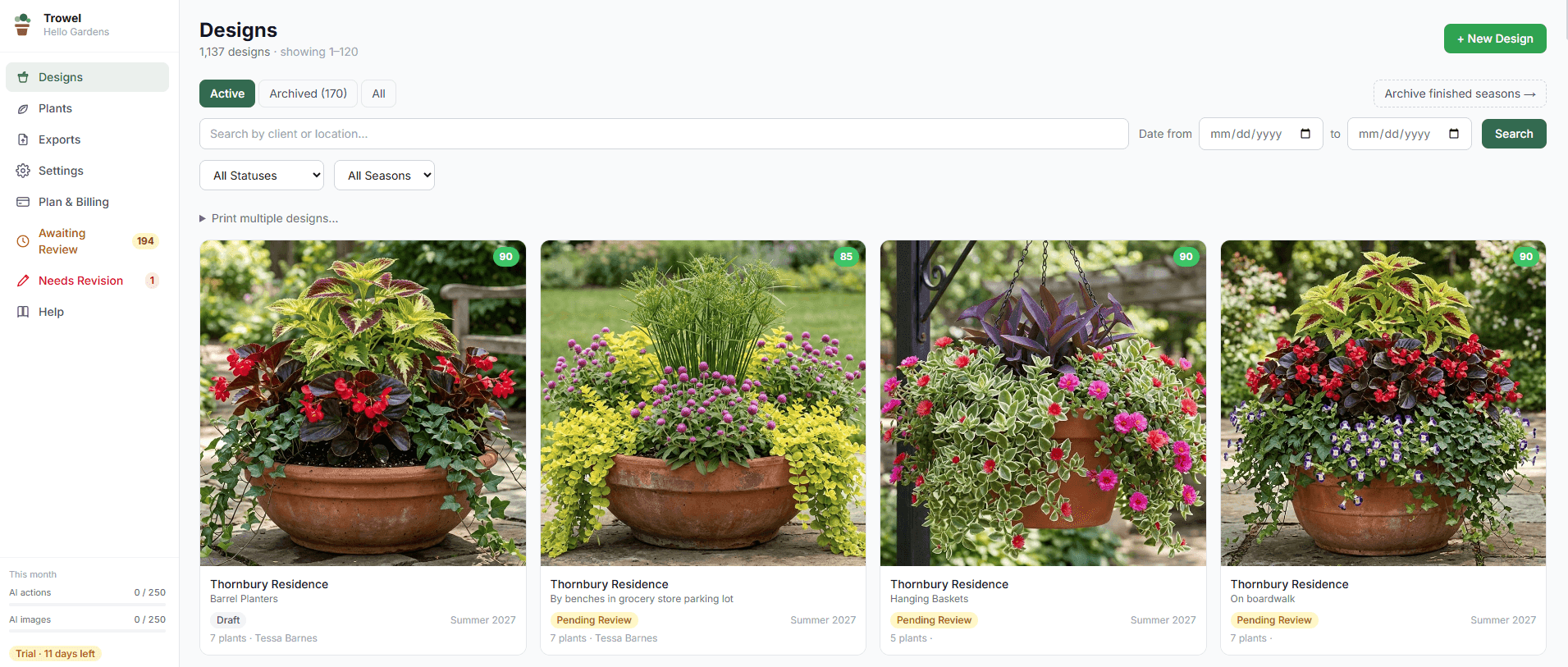
- ✓Status workflow: Draft → Pending Review → Approved / Needs Revision
- ✓Manager role can approve or request revision with notes
- ✓Designers cannot change approval status — roles are enforced
- ✓Full approval notes preserved on every design
- ✓Visual status badges on the designs list page
One-click exports that actually get used
Trowel generates Excel exports that match how purchasing and wholesale actually work — not just generic spreadsheets.
- ✓Shopping List: one row per plant per design, grouped by client
- ✓Filter by season: Spring / Summer / Fall / Winter / All
- ✓Export only approved designs or include all statuses
- ✓Download directly — no email required

A plant library that is ready on day one
Your plant master list is the foundation of every design. Every new company starts with a library already loaded, and adding a plant takes its name and one click: AI Fill suggests the attributes, you check them and save — so you spend less time on data entry and more time designing.
- ✓AI Fill: type a plant name and one click suggests sun, water, size, bloom time, color and growth habit
- ✓Import your existing plant list from CSV or Excel (Professional and above)
- ✓Filter picker by category: Annual / Perennial / Shrub / Grass
- ✓Each plant's primary color is shown in the picker panel
- ✓AI Fill works for virtually any annual, perennial, or tropical you grow